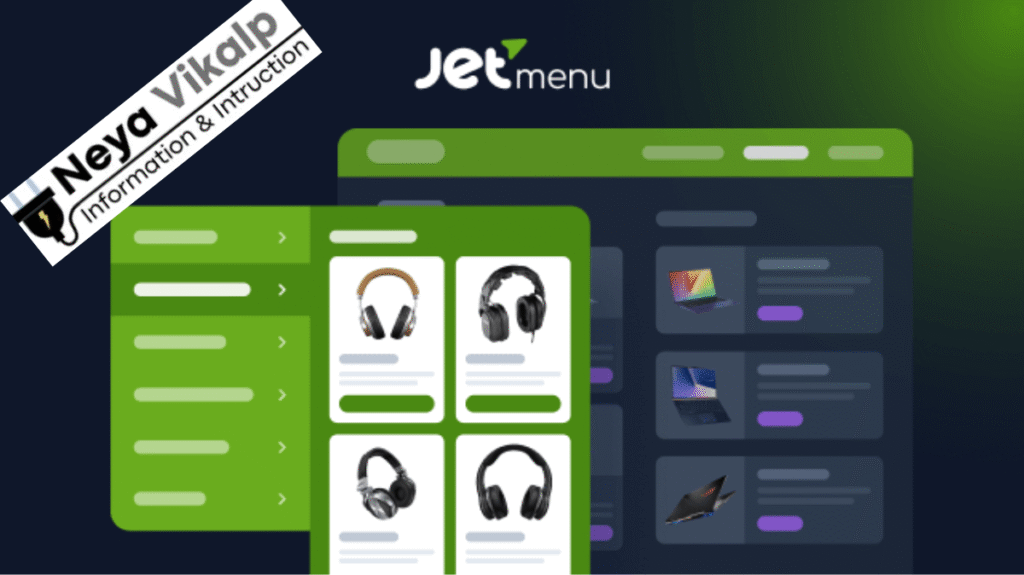
Jetmenu: Millions of websites run on WordPress today, and every website owner wants their site to not only look beautiful but also be easy to use. Especially when it comes to navigation or menu systems, even a single mistake can ruin your website experience.
Keeping this need in mind, the team at Crocoblock has created a menu builder called JetMenu that has made navigation design extremely simple and elegant for WordPress users.
- About JetMenu Plugin
- How JetMenu transforms website menu
- Check the live demo of JetMenu
- JetMenu customization options
- JetMenu Multi-Level Dropdown Menu
- Adding Icons and Images to Menu
- Mega Menu Builder
- New update of JetMenu v2.4.17 GPL
- How to Install JetMenu in WordPress
- Why JetMenu is the most Powerfull menu plugin
- Conclusion
JetMenu isn’t just a simple plugin, it’s capable of giving your website a premium and attractive UI. This plugin is rapidly gaining popularity worldwide thanks to its unique features, ease of use, deep customization, and advanced design capabilities.
JetMenu was created for WordPress users who want to create a unique menu for their website. This plugin works perfectly with both Elementor and Gutenberg, making it perfect for any type of website.
Whether you’re building a news portal, a blog website, an e-commerce store, a business site, or a startup page, JetMenu instantly gives your website a modern and interactive touch.
About JetMenu Plugin
JetMenu is a WordPress plugin that takes your website’s navigation system to the next level. It’s specifically designed for users who need to create an attractive, modern, and user-friendly menu on their site.
JetMenu allows users to create multi-level menus, beautiful dropdowns, mega menus, picture and icon based menus, and smart hamburger menus for mobile.
The best part is that it doesn’t require any coding, and everything can be done through a very simple interface. Below is a basic overview of the JetMenu Plugin so you can understand how it works and what it stands for.
| Description | Information |
|---|---|
| Name | JetMenu |
| Type | WordPress Plugin |
| version | 2.4.17 |
| Update Time | 2 weeks ago |
| Developer | Crocoblock |
How JetMenu transforms website menu
In today’s digital world, it’s not enough to have a beautiful website; it’s crucial that your site’s navigation is easy, clear, and attractive. JetMenu fulfills this need brilliantly. When a user arrives at your website, the first thing they see is the menu.
If your menu isn’t clear or the design is poor, users won’t spend much time on your site. JetMenu offers a simple and powerful solution to eliminate this problem.
JetMenu lets you customize your website’s menus as much as you want, whether you want to change the colors, add icons, adjust the background, change the typography, improve hover effects, or the layout of menu items.
This plugin offers all the features you need for a modern website. JetMenu’s interface is also very simple and clean, making it easy for every user to use.
Check the live demo of JetMenu
JetMenu customization options
The biggest advantage of JetMenu is that it takes you into the world of customization where you can design your menu completely according to your liking.
Its design capabilities are so deep that you can create a unique, attractive, and distinctive menu if you so desire. This plugin lets you change everything from fonts to icons, colors to backgrounds.
Many users enjoy working like designers and want their site to stand out from the crowd. JetMenu is a top choice for these users, as it offers comprehensive detailing and advanced customization.
The user can change the layout of menu items, set the direction of submenus, adjust every little detail of the design and create a great navigation experience through it.
JetMenu Multi-Level Dropdown Menu
If you’re running a large website with multiple categories, subcategories, and different sections, multi-level navigation is essential. JetMenu perfectly meets this need. It lets you create multi-level dropdown menus that are easy for users to understand.
This dropdown system works very smoothly and attractively. Your visitors can easily access any category on your website, and the entire experience looks clean and professional in the browser.
Adding Icons and Images to Menu
Another feature of JetMenu is that you can add icons and images to menu items. This not only makes your website look more modern but also makes the menu easier for users to read and understand.
If you’re running a blog, you can add category icons. If you’re running an e-commerce site, you can simplify navigation by adding product category icons. This feature gives your website a very professional look.
Mega Menu Builder
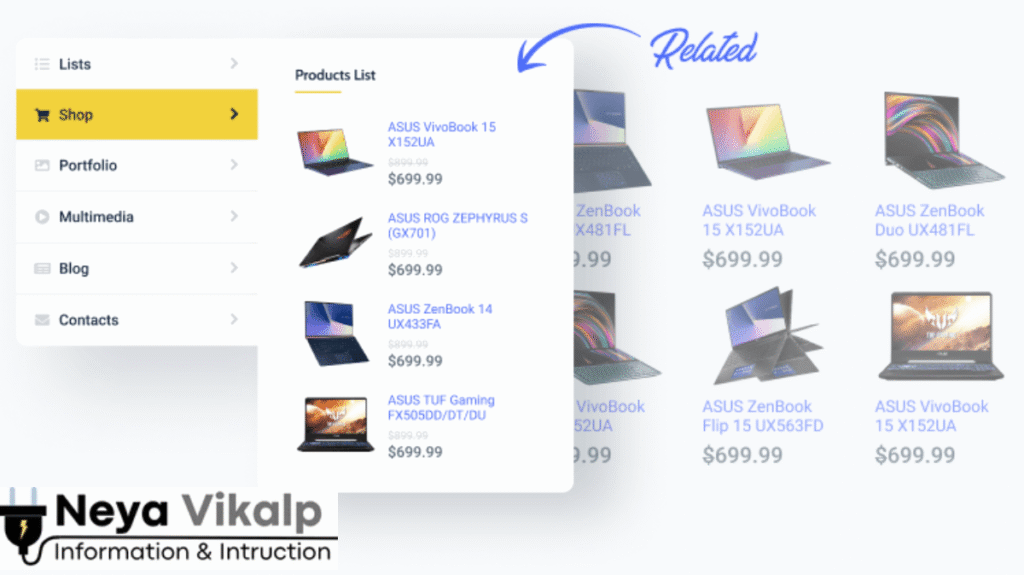
JetMenu’s mega menu builder is considered the plugin’s most distinctive feature. Mega menus have become a necessity for every large website today, as they allow you to manage a large amount of content in an attractive way.
With the mega menu builder available in JetMenu, you can add images, videos, showcase products, insert blog post previews, add categories, or any other content.
This mega menu is extremely helpful in giving your website an advanced UI and making it easier for users to navigate your site. This feature is especially useful for websites that have a lot of content and categories.
JetMenu allows you to add search boxes and social media icons directly to menus. This makes it easier for visitors to find your content and connect to your social media platforms. This feature enhances website usability and makes navigation even better.
New update of JetMenu v2.4.17 GPL
JetMenu has released a new version, 2.4.17, with new features. This update adds some key features and fixes some bugs.
This update adds the option to edit mega menu content in a new tab, making it easier. The ability to add hover triggers to the hamburger menu has also been added.
Additionally, some technical issues with the vertical mega menu have been fixed for a smoother user experience.
How to Install JetMenu in WordPress
Installing JetMenu is a very simple process. Log in to your WordPress dashboard, go to the Plugins section, and click Add New.
There, you’ll find the Upload Plugin option. Upload the JetMenu ZIP file and click Install Now. Once the installation is complete, click Activate to activate it.
- Dashboard → Appearance → Themes
- Add New
- Choose a theme or click Upload Theme
- Upload the ZIP file
- Install and then Activate
Why JetMenu is the most Powerfull menu plugin
JetMenu is not only easy to use but also visually stunning. Its mega menu, smart customization, responsive design, and simple interface make it a favorite among every WordPress user. It gives websites a premium touch and makes navigation a breeze.
If you want your website to look brand new, or you want to ensure that visitors never have trouble navigating your site, JetMenu is a great choice for you.
READ ALSO:- GP Premium theme Free GPL v2.5.5: Best Theme For bloggers and developers!
Conclusion
If you want to make your website’s menu modern, attractive, and user-friendly, JetMenu is the perfect solution. It offers every feature needed for a premium website design from start to finish. Its new updates, advanced features, easy setup, and modern design make it one of the most powerful menu plugins for WordPress. If you’d like more plugin reviews like this or longer SEO-optimized articles, just let me know. I’ll get it ready right away.
How to fix style.css Not Found Error?
If you’re getting this error: “style.css missing,” it means: You’ve tried to install the plugin as a theme. JetMenu is a plugin , not a theme. Always install it via “Plugins → Add New.”
PCLZIP_ERR_BAD_FORMAT (-10) Error
This error occurs if you upload a .rar file to WordPress because WordPress only supports ZIP files. To fix this: Extract the RAR file with WinRAR or 7-Zip Find the ZIP file inside Install that ZIP file in WordPress.